

Understand results and safe harbor
Survey results contain sensitive business data, wages above all. Sensible Surveys is built so that what released audiences see is always aggregated across businesses and always protected by a safe harbor threshold that hides anything answerable to a single company.
When results become available
Section titled “When results become available”Results are compiled after the survey’s close date passes. From then on, owners and managers can review everything on the results page, but nobody else sees anything until an audience is explicitly released. Closing a survey never distributes results by itself.
Safe harbor: the core privacy rule
Section titled “Safe harbor: the core privacy rule”Every survey has a safe harbor threshold, chosen when the survey is created (5, 10, or 15 in the wizard). The rule:
If fewer businesses than the threshold answered a question, that question’s results are withheld from released audiences.
What counts is distinct businesses. For compensation data the rule applies per occupation: an occupation reported by fewer businesses than the threshold shows no wage data, even if those few businesses entered many wage values. One company reporting five career levels is still one company.
Withheld questions still appear in the list for released viewers, marked Below threshold with a lock note reading “Results hidden to preserve respondent anonymity”, so it’s clear data was collected but suppressed; the numbers just aren’t shown.
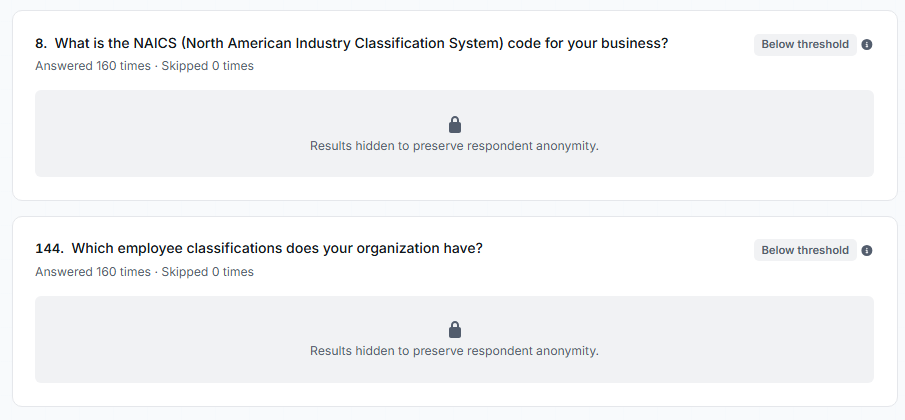
Two result cards a released viewer sees when too few businesses answered.
Why the threshold matters
Section titled “Why the threshold matters”A higher threshold is more private but hides more results; a lower one shows more data with more re-identification risk. If only two businesses answer “What is your starting wage for welders?”, publishing that average effectively tells each one the other’s number. Choose the threshold to match the sensitivity of the data and the size of the invitee pool.
Admin view vs. released view
Section titled “Admin view vs. released view”Owners and managers see everything, always, including sub-threshold data, because they administer the survey. The results page gives them a Safe harbor display switcher (Show / Mention / Hide) for reviewing what suppression will look like, with a warning that Show mode is for admin review only and should not be exported.
Released audiences also don’t see: questions excluded from results, businesses-tab columns you’ve hidden (email and last activity are hidden by default), “Other” answers whose writer declined results visibility, and demographic or admin-only details.
Use the Released audience preview on the results page before releasing; it fetches results with exactly the suppression a real viewer gets. See Analyze results.
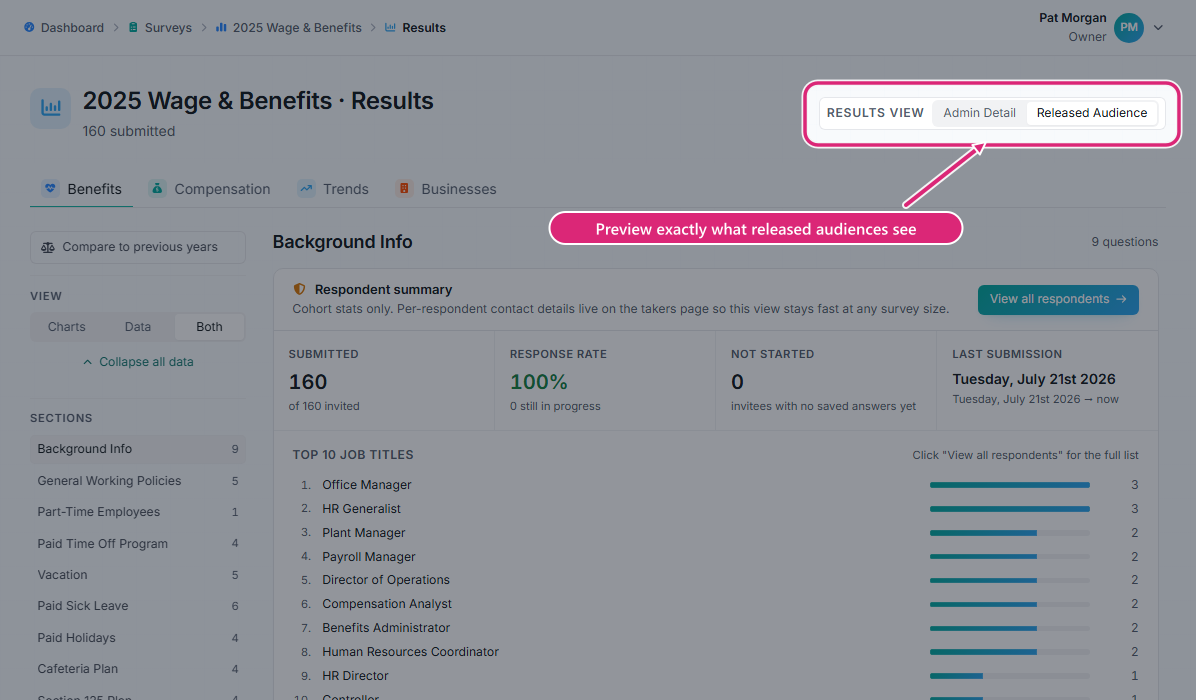
The results page with everything dimmed except the Results view toggle, showing where to switch to the released-audience preview.
Confidence labels
Section titled “Confidence labels”Each question in results carries a label based on how many responses it received relative to the survey’s threshold:
- Below threshold: fewer answers than the threshold; withheld from released audiences.
- Low confidence: at or above the threshold but less than twice it. Shown, but treat as directional.
- High confidence: at least twice the threshold. A sample large enough to rely on.
Filters and safe harbor
Section titled “Filters and safe harbor”Filters let people narrow results (by region, organization type, and other axes the admins enable). Safe harbor is enforced on the filtered count: filter down to a slice with fewer businesses than the threshold and the questions in that slice show as withheld. Slicing can never reveal what the full view protects.
Troubleshooting
Section titled “Troubleshooting”A result is missing or shows “results withheld”
Section titled “A result is missing or shows “results withheld””Fewer businesses than the threshold answered it (possibly after filtering), or the question was excluded from results by an admin.
The businesses tab is missing
Section titled “The businesses tab is missing”It’s hidden for released audiences by the survey’s visibility settings, or you’re looking at the admin-only tab in a released preview.
Trends are missing
Section titled “Trends are missing”Trend comparisons need this survey to be linked to a predecessor. See Trends and linked surveys.