
General settings and notifications
General settings (sidebar, under Configuration) holds account-level configuration: who you are, what timezone your dates mean, and which events email your team.
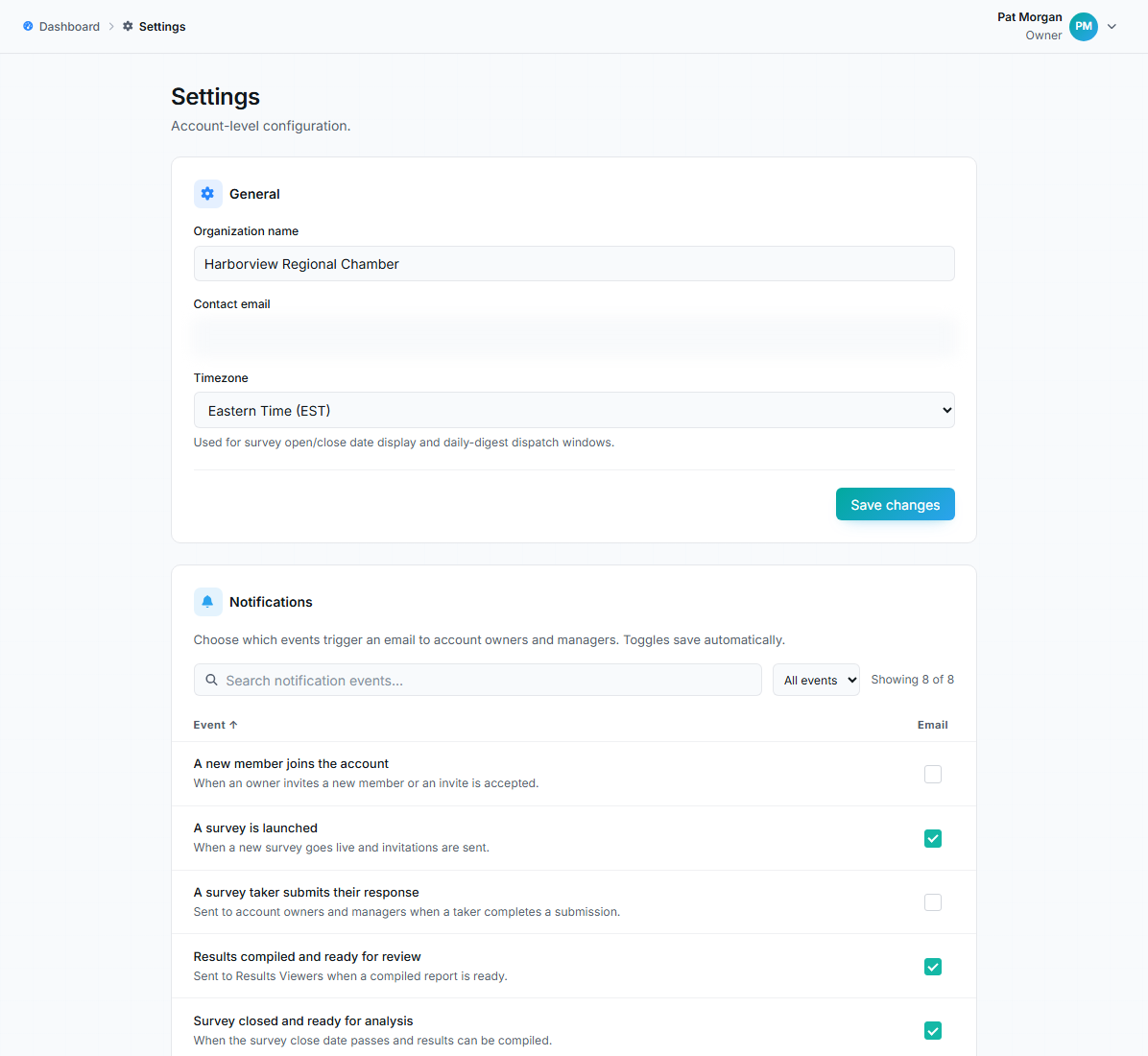
Settings page with general fields and the notifications table.
General
Section titled “General”- Organization name: appears throughout the workspace, in the survey experience, and in emails. Use the name your member businesses recognize.
- Contact email: the account’s operational contact point.
- Timezone: US timezones plus UTC, defaulting to Eastern. It drives how survey open/close dates display and when daily digest emails dispatch.
Click Save changes to apply this section.
Notifications
Section titled “Notifications”The notifications table decides which events send an email to account owners and managers. Toggles save automatically, with no save button, and each one gates real email dispatch. The eight events:
| Event | What it means | Default |
|---|---|---|
| A survey is launched | A survey went live and invitations were sent | On |
| A survey taker submits their response | Per-submission notification | Off |
| Survey closing soon | A running survey is within 7 days of closing | On |
| Survey closed and ready for analysis | The close date passed | On |
| Results compiled and ready for review | A compiled report is ready | On |
| Taker response is late | Daily digest of outstanding takers | Off |
| A new member joins the account | A team member was invited or accepted | Off |
| Weekly activity digest | A Monday summary across all surveys | Off |
Per-submission and daily-late notifications are off by default because they get noisy on large surveys. Turn them on for small, high-touch surveys where every response matters.
How this interacts with survey reminders
Section titled “How this interacts with survey reminders”Reminder emails to takers are configured per survey (see Survey reminders). These account toggles govern emails to your team, and they act as the final gate: a survey’s owner-digest reminders only send if the account allows that email type.
Personal settings live elsewhere
Section titled “Personal settings live elsewhere”Your name, profile picture, email address, password, and light/dark theme are personal; they’re on your profile (click your name, top right), not in account settings. See Sign in, passwords, and your profile.