

Trends and linked surveys
Annual surveys become far more valuable when each edition is linked to the one before. Linking powers two features: trend comparisons in results and pre-filled answers for returning takers.
Linking a survey to its predecessor
Section titled “Linking a survey to its predecessor”The link is set in the wizard’s first step, Link to previous survey. Choose the most recent survey that covered the same group of businesses; candidates are your account’s closed and compiled surveys. The survey page then shows the connection (e.g. “Linked to 2025 Wage and Benefits Survey”).
Linking year after year builds a chain: 2024 → 2025 → 2026. Trends walk the whole chain, oldest first.
What linking does for takers
Section titled “What linking does for takers”Returning takers see their previous answers pre-filled, so they update rather than re-enter, which is especially valuable for compensation grids with many occupations. New takers start fresh.
The Trends tab
Section titled “The Trends tab”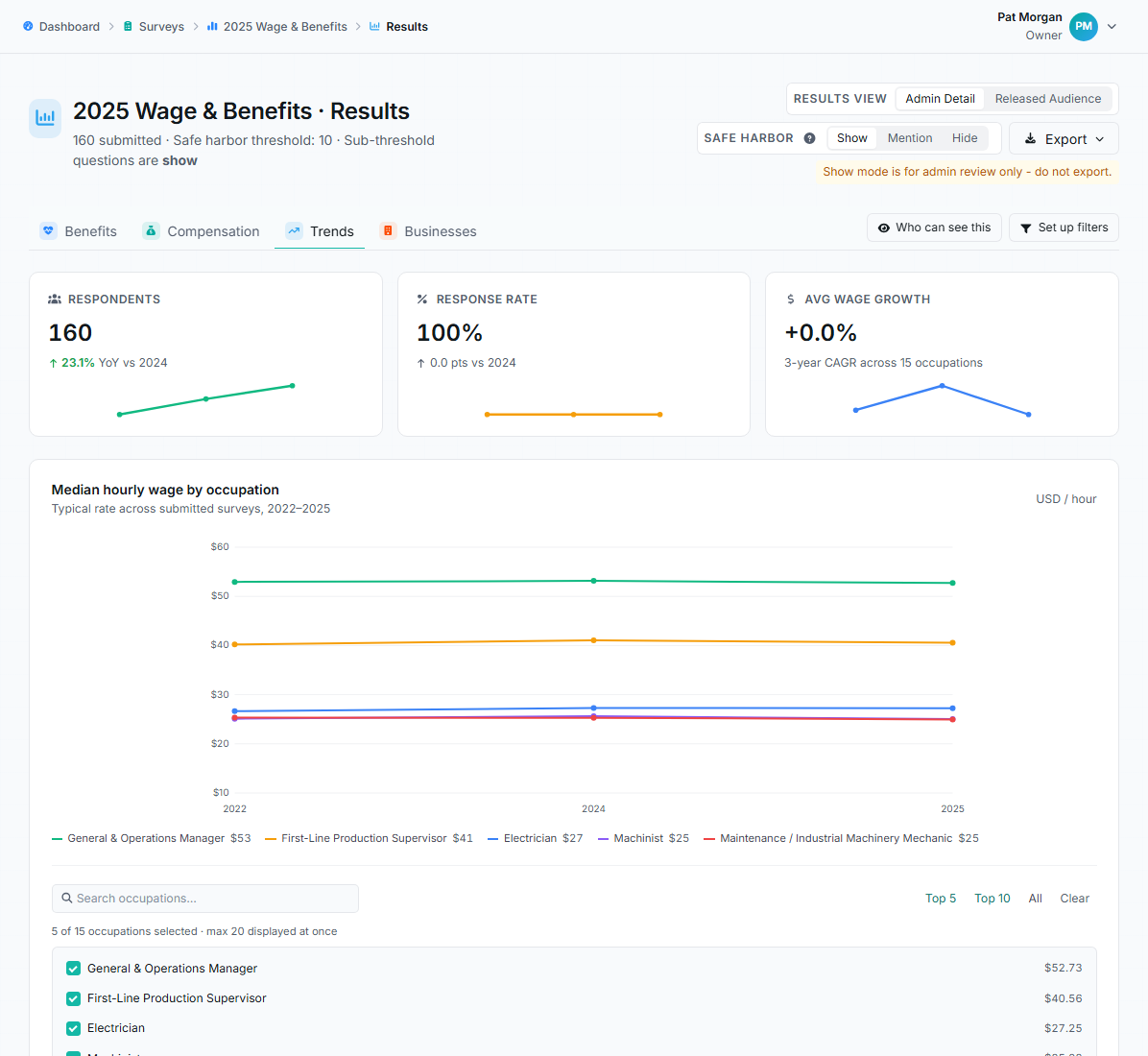
The Trends tab with year-over-year wage growth and median hourly wage by occupation.
On the results page, the Trends tab compares this survey against the linked history. Questions are matched across years, and comparisons show the year-over-year movement appropriate to each type: shifts in medians for numeric questions, changes in the leading answer for choice questions, and wage movement for compensation data. A Compare to previous years control on the other tabs overlays history onto individual questions.
Privacy still applies per year
Section titled “Privacy still applies per year”Each year in a trend view enforces its own safe harbor threshold and access rules for the person viewing. A viewer who can’t access a past year’s results simply doesn’t get that year in their trend line, and a question below the threshold in one year is withheld for that year.
- Keep question wording stable across editions where you can; matched questions are what make trends meaningful.
- Link each new edition to the immediately previous one, not the first year; the chain handles the rest.
- If the Trends tab is missing entirely, the survey has no predecessor link. The link can only be chosen when creating the survey, so plan it into your annual setup checklist.